Most stamp fonts look fine on a screen and fail on paper. A 38 mm round seal leaves a company name with letters only a couple of millimeters tall, ink spreads into every gap, and a stroke that looked elegant at 400% zoom can vanish in the print. When you build a design in a stamp generator online, the font is the first setting worth testing, because it decides whether anyone can read the stamp at all.
What happens to lettering at real stamp size
Three things go wrong, and they make each other worse. Thin strokes print unevenly first. A rubber stamp transfers ink from raised lines, and many stamp shops ask for lines no thinner than about a quarter of a millimeter. Hairline serifs and the light half of script letters fall below that, so they break up or disappear.
Ink also spreads. The small closed shapes inside a, e, o and 8 fill in before anything else, which is why an 8 turns into a blot and an e starts to look like an o. The smaller the text, the earlier this happens.
Curves add a third problem. Text on a ring is squeezed on the inner edge and stretched on the outer edge, so a font with tight, narrow letters loses its shapes faster on a circle than on a straight line. A digital stamp avoids the ink problems but not the size problem. A PNG placed in a PDF at real size is still a few millimeters across, and thin lettering looks faint on screen for the same reason it looks weak in ink.
Which stamp generator fonts hold up
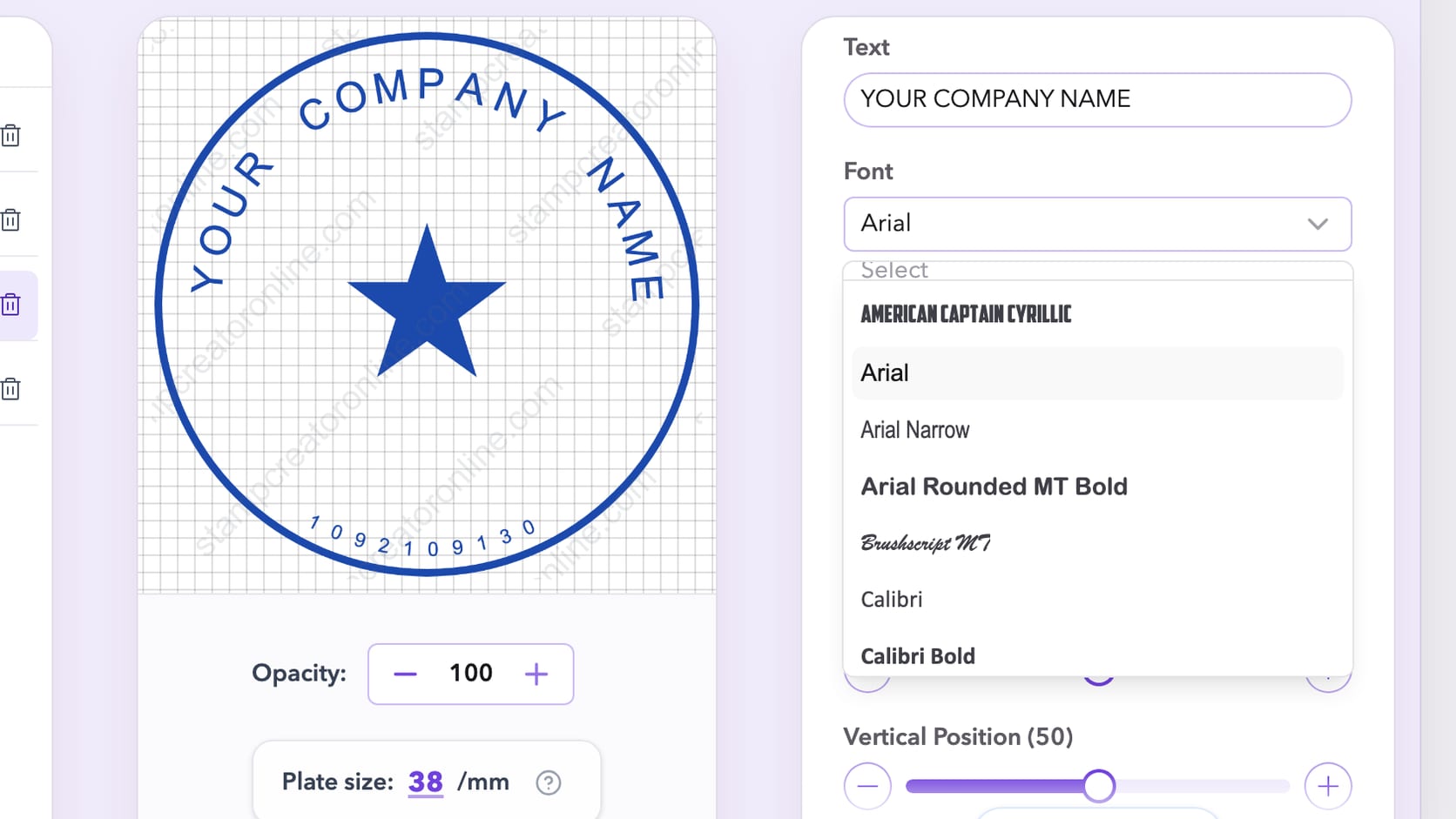
The editor offers 21 fonts. For stamp work they fall into four useful groups, and the right group depends on where the text sits in the design.
- Plain sans serif for rings and small lines. Arial, Verdana, Tahoma and Roboto have even stroke widths and open letter shapes. Verdana and Tahoma were drawn for small sizes on screens, and that same openness helps when a line is only a few millimeters tall.
- Condensed sans serif for long names. Arial Narrow fits more letters into the same arc without shrinking them. It is the usual answer when a registered name runs past about 30 characters.
- Serif for a formal center line. Times New Roman gives a seal a traditional look, but its thin strokes need size. Use it for the largest line in the middle, not for a ring of small text.
- Script for one large word. Brushscript MT and Marck Script suit a wedding stamp or a thank-you mark where one name or word fills the center. On a ring or in a detail line, the joined, slanted letters stop being readable.
Courier New belongs in its own group. Every character in it has the same width, so dates, invoice numbers and registration codes stay aligned when one digit changes. That makes it a good choice for a date line under a received stamp, and a poor one for a company name, where it looks like a typewriter label.
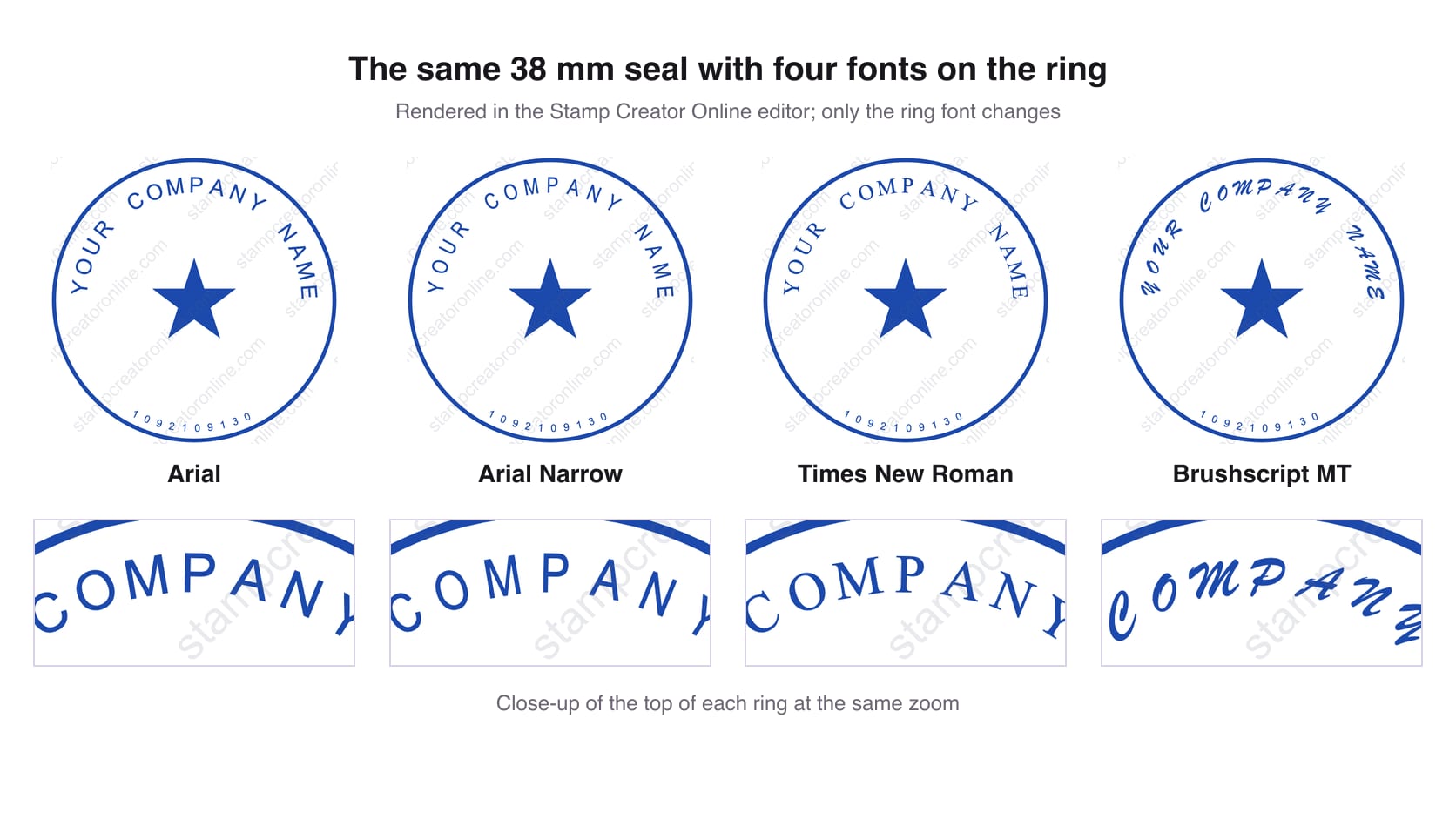
The comparison below uses the default round template and changes nothing except the ring font. Arial and Arial Narrow keep every letter distinct. Times New Roman holds up at this size but already shows thinner strokes on the curves, and Brushscript MT turns COMPANY into a slanted line that takes effort to read.
How big to set the text
The font size slider runs from 1 to 200, and the number only means something next to the plate size. Set the plate size first, to the size the stamp will really be, and judge the lettering after that. On the default 38 mm round template, the ring text starts at a font size of 38 and the small number line along the bottom at 18. That bottom line is close to the limit on a 38 mm plate. If you need more characters there, make the plate larger or move some of the text to a straight line in the center instead of shrinking it.
A common rule of thumb in rubber stamp production is that capital letters should be at least about 2 mm tall. You do not need a ruler to check it. Take a screenshot of the preview, place it in a document at the real width of the stamp and print the page at 100%. Any line you have to bring closer to your eyes to read is too small.
On a ring, letter spacing matters almost as much as size. The letter spacing slider (0 to 150) spreads the characters along the arc; the default ring text uses 53. Capitals on a curve usually need a little more room than they would on a straight line, because the gaps at the inner edge close up. Push it too far and the name reads as separate letters rather than words, so adjust the radius together with the spacing until the text sits evenly between the border lines. Our guide to fitting a long company name into a round seal covers the case where the text simply does not fit.
Bold, italic and white text
The bold button does not switch to a separate bold font. It draws an outline around each letter, about one twentieth of the font size wide, so the strokes get thicker while the letter shapes stay the same. That helps Times New Roman or Arial Narrow at small sizes. It can also close the holes in an a or an e, so check bold text at real size before you keep it.
Italic works on straight lines, such as a signature line or a short note. On a ring, slanted letters combined with the rotation of the arc look crooked, and readers notice it before they can say why. White text is for reverse designs, where the letters are cut out of a solid shape. Use a heavy sans serif for those, because white letters on a filled background lose thin strokes even faster than dark letters on paper.
Pairing fonts without making the stamp busy
One font family is usually enough for a stamp. If you want contrast, change the size or turn on bold for the center line instead of adding a second typeface. When two fonts do help, give them different jobs: a plain sans serif for the ring and Times New Roman or a script for the single line in the middle that carries the name. Three fonts on a 40 mm circle almost always look accidental.
Keep capitals for the ring. Capitals have a flat top and bottom, so they sit evenly on a curve, while lowercase letters with tall and hanging strokes make a ring look ragged. In the center, a long phrase in mixed case is easier to read than the same phrase in capitals. Most of the company seal templates follow this pattern already, which makes them a good starting point for a font test.
Numbers, other alphabets and the file you download
Numbers carry the most information on a stamp and get the least attention. A wrong-looking digit in a registration number or a phone number makes the whole mark look unreliable. Use Arial or Courier New for numbers, avoid script fonts entirely, and leave a little extra letter spacing so a 1 and a 7 do not touch.
If the stamp uses Cyrillic, Greek, Arabic or Hebrew, check that the font actually has those letters. Courier New now includes Cyrillic and the rest of its full character set, Tahoma covers Cyrillic and Greek well, and Arabic on circular and oval text is drawn right to left with the letters joined, the way it is written. When a font lacks a character, another font fills in for that one letter, which shows up as a mismatched shape in the middle of a word. Zoom in on every non-Latin line before you download.
What happens next depends on the format. The SVG export turns each letter into a shape, so the person who opens the file does not need the font installed and a print shop sees exactly what you saw in the editor. A PNG carries the lettering as pixels, which is why the 3x and 10x sizes exist: they keep small text sharp when the image is enlarged in a document. The digital stamp files guides explain which format to send for documents, print and production.
A ten-minute font test in the stamp generator
Start from a template close to what you need and keep its layout. Then work through these steps:
- Set the plate size to the real size of the stamp.
- Choose three fonts from different groups above, for example Arial, Arial Narrow and Times New Roman, and change only the font between versions.
- For each version, take a screenshot of the preview, place it in a document at the real width and print the page at 100%.
- Hold the printout at arm's length. Read the ring first, then the smallest line.
- Keep the font you could read without moving closer, then fine-tune size and letter spacing for that font only.
Editing and previewing are free, so the test costs nothing but a sheet of paper. If you want to compare versions later, save each one to My Library; a free account keeps up to 50 designs. When one version reads cleanly on paper, go back to the online stamp maker, keep that font and finish the border, symbol and ink color around it. The font is the one choice you do not want to revisit after the stamp has been made.